STREET LIGHT SLIDE · ONE PHOTO
Street Light Slide AI
Your entrance. Under the light.
A slide in the distance. An empty path. Then you glide into a close-up under the lamp—with your face, your hair and the clothes from your photo.
One photo. Your street-light entrance.
US$4.99once per video
One adult, facing the camera. Chest-up or waist-up works best. Keep your face and outfit clear. We create the night scene.
Start here: add your photo.
~5 seconds · 9:16 · 720p MP4 · naddy reference audio
No free video preview · generation starts after payment
Failed render? Video credit returned · Refund policy
0—5 SEC
What happens in the five seconds?
| Time | Scene |
|---|---|
| 0–1.4s | A low slide in the distance, then the person exits. The paved path stays empty for a beat. |
| 1.4–2s | The same person slides in from the lower left, close to the camera. |
| 2–5s | Chest-up close-up under the white lamp. A steady look, a small head tilt, and the lit tree behind. |
What is the Street Light Slide trend?
Street Light Slide, also called AI Slide Transition, is a short night-video format where a distant slide becomes a sudden close-up beneath a bright street lamp.
The format appears in TikTok posts with CapCut template links: a low slide in the distance, a brief empty path and an unexpected close-up under a street lamp. We have not verified its first creator. Our preset generates a new adult performer from one photo, guided by a fixed motion reference.
One photo. Three steps.
- Add one authorized adult photo.
- Confirm permission and pay US$4.99 once.
- Return here, wait for generation, then download or scan to your phone.
A clear face is the whole effect.
Upload a clear avatar or a chest-up photo of one adult facing the camera. A visible outfit gives the model more guidance. The template creates the night scene and completes any unseen body. Avoid sunglasses, blur and heavy filters.
Before you pay
- Input
- 1 adult photo · JPG / PNG / WebP · up to 8 MB
- Generation
- Photo + fixed motion-reference video · identity and clothing guided by your photo
- Delivery
- ~5s · 9:16 · native 720p MP4 · no added text watermark
- Sound
- Trend-reference “original sound - naddy”, muxed after generation
- Price
- US$4.99 once · tax shown at checkout
- Failure
- Confirmed technical failure restores video credit; refunds follow the Refund Policy
- Privacy
- Private source uploads after payment · downloads for 24 hours after completion
FAQ
Questions you’d actually ask
What’s the TikTok trend where someone slides in under a street light?
It is usually called Street Light Slide or AI Slide Transition. A distant person slides out of a night scene, the path stays empty for a beat, and the same person slides in from the lower left for a close-up beneath the lamp. The contrast between the tiny figure and the sudden confident close-up is the joke.
How do I make the street light slide video with my own photo?
Add one clear photo of an adult, confirm permission and pay US$4.99 once. Return in the same browser: generation starts after payment is verified. The fixed template handles the scene and movement; you do not need to film yourself sliding or write a prompt.
Can I do this without CapCut or downloading an app?
Yes. Hotel Lobby AI works in a modern phone or desktop browser. It generates a new video using your photo and a stored motion reference. It does not open a CapCut project or require a CapCut template link.
Where did the Street Light Slide trend come from?
You can find this format on TikTok as Street Light Slide or AI Slide Transition, often with a CapCut link. We checked the linked template, but it does not reveal how the source motion was created. We cannot confirm who first made the trend.
Is the video on this page the original or something you generated?
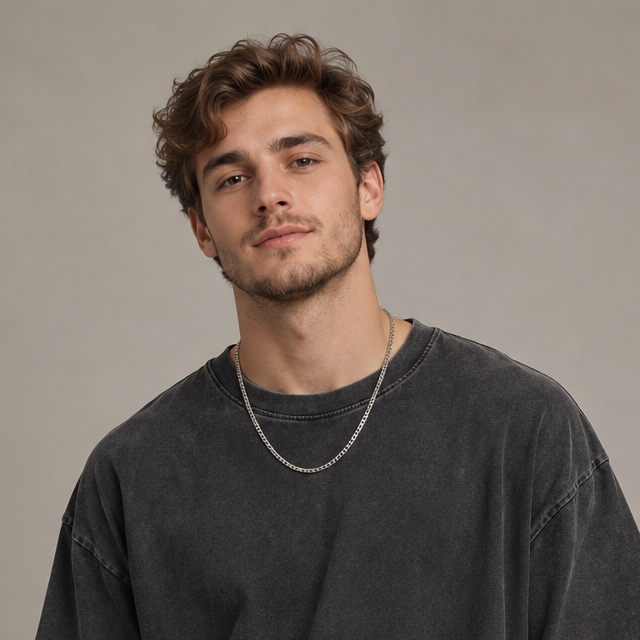
Yes. This is our generated demonstration using the fictional adult avatar shown below. The motion is guided by a fixed reference; the performer comes from the avatar. It is a native 720p sample with music, not a guarantee of identical results from every photo.
Do I need a night photo or a full-body picture?
No night background is needed: the template supplies the path, curb, tree and lamp. A sharp, front-facing chest-up or waist-up portrait works best. Show your face and clothing clearly. Avoid sunglasses, heavy filters and other people. Use JPG, PNG or WebP up to 8 MB, with each side between 301 and 5999 pixels.
Will it keep my face, hair and the clothes in my photo?
Your photo guides the adult’s identity, hairstyle and clothing throughout both the distant shot and close-up. Missing lower-body details have to be generated. AI can still change small facial or clothing details, so an exact likeness or perfect motion match is not guaranteed.
Can a man make the trend, or is it only for women?
Adults of any gender can use it. The template is intended to follow your photo rather than turn everyone into the woman in the original reel. Use a photo of yourself or an adult who has explicitly agreed to this use.
Is this a face swap? Will the original woman stay in the video?
This is reference-to-video generation, not a face-swap editor. The photo guides identity and clothing, while the stored video guides camera position and slide timing. The preset asks for exactly one adult and for that person to stay consistent; AI errors remain possible.
Does the downloaded video include the naddy sound?
Yes. The intended paid output includes the trend-reference audio labeled “original sound - naddy”. We replace any generated audio with that fixed reference bed after generation. The on-page player has its own volume control. Hotel Lobby AI does not own the recording.
How much is one video? Can I try my photo for free?
One video costs US$4.99, paid once; any applicable tax is shown at checkout. There is no personalized free preview or free trial. Selecting a photo on your device does not generate a video. Payment is verified before any paid generation starts.
What file do I get, and how long is it?
You receive one vertical 9:16 MP4, about 5 seconds long, generated at native 720p with the selected music and no added text watermark. The on-page sample uses the same delivery format.
Do I have to stay on the page while it generates?
Keep the same browser to retrieve your order, but a submitted paid task continues in the background. Generation time depends on the provider queue. If payment or a task is still pending, check the existing order instead of paying again.
What happens if I pay and the video fails?
A confirmed technical failure automatically restores the video credit. Cash refunds follow the Refund Policy; they are not an automatic promise for every result. If a task needs review, keep its video ID and contact support instead of starting another payment.
How do I save the finished video on my phone?
Open your completed order and download the MP4. On a computer, the result card can show a short-lived QR link for that one video. On iPhone, download to Files, then use Share → Save Video; Android saves through Downloads. Downloads remain available for 24 hours after completion.
Will you keep my photo or use it to train AI?
The selected photo stays on your device during checkout and uploads privately only after verified payment. Source photos are removed after a successful render or within 24 hours. We do not train our own models on them; the generation provider has its own retention policies.
Can I use a celebrity, a child, or a group photo?
No. Use exactly one authorized adult. You must be at least 18 and have the person’s explicit permission. This preset does not support children, group photos, pets or unauthorized celebrity/public-figure likenesses.
Can I post it on TikTok, or use the naddy audio in an ad?
This version is offered for personal, non-commercial use. A paid AI generation does not buy music rights, creator endorsement or platform clearance. Check the destination platform’s rules and the recording’s rights before posting. For copyright or removal requests, contact support@hotellobbyai.com.
Find your next scene
Hotel Lobby AI is an independent tool, not affiliated with CapCut, TikTok or the owner of “original sound - naddy”. Personal, non-commercial use only. Audio is muxed from the trend reference; we claim no ownership of that recording. Copyright / DMCA: support@hotellobbyai.com.
Make my street light video